Interactive Playground & Configurator
Customize the API endpoints below by selecting your target language, specific translation edition, and base hosting URL.
API Endpoints
Global Index
Retrieves a global index mapping all supported languages, editions, and metadata.
Language Index
Retrieves all books, file sizes, and SHA-256 checksums available for a specific language.
Database ZIP Download
Downloads the compressed SQLite database containing pre-indexed Hadiths, sections, and search triggers.
// Click "Test" on any endpoint above to fetch and inspect live metadata in real-time.SQLite Database Schema
Every downloaded database contains a highly optimized layout pre-configured with Full-Text Search (FTS5) index tables and data synchronization triggers.
book_info
Metadatasections
Chaptershadiths
Core Datagrades
AcademicClient-Side Integration Snippets
Select your favorite platform or development language below to see high-performance, drop-in code snippets for fetching and querying Hadiths entirely offline.
// High-Performance Offline Full-Text Search (FTS5) using JS/SQLite
import sqlite3 from 'sqlite3';
import { open } from 'sqlite';

async function searchHadith(queryText) {
  // Open the extracted local database
  const db = await open({
    filename: './eng-bukhari.sqlite',
    driver: sqlite3.Database
  });

  // Query using pre-configured FTS5 trigger tables for millisecond matches
  const results = await db.all(`
    SELECT h.hadith_number, h.text, s.section_name
    FROM hadiths_fts f
    JOIN hadiths h ON f.rowid = h.id
    JOIN sections s ON h.section_id = s.id
    WHERE hadiths_fts MATCH ?
    LIMIT 10
  `, [queryText]);

  console.log("Search Results:", results);
  await db.close();
}

searchHadith("intention");
// High-Performance SQLite FTS5 Query in Flutter (sqflite)
import 'package:sqflite/sqflite.dart';
import 'package:path/path.dart';
Future>> searchHadithOffline(String queryText) async {
final dbPath = await getDatabasesPath();
final path = join(dbPath, "eng-bukhari.sqlite");
final Database db = await openDatabase(path, readOnly: true);
// Perform highly optimized FTS5 query
final List> results = await db.rawQuery('''
SELECT h.hadith_number, h.text, s.section_name
FROM hadiths_fts f
JOIN hadiths h ON f.rowid = h.id
JOIN sections s ON h.section_id = s.id
WHERE hadiths_fts MATCH ?
LIMIT 20
''', [queryText]);
return results;
} // High-Performance SQLite FTS5 Query in iOS (Swift with SQLite.swift)
import SQLite
import Foundation
func searchHadiths(matching query: String) throws -> [[String: Any]] {
let path = NSSearchPathForDirectoriesInDomains(.documentDirectory, .userDomainMask, true).first!
let db = try Connection("\(path)/eng-bukhari.sqlite", readonly: true)
let sqlQuery = """
SELECT h.hadith_number, h.text, s.section_name
FROM hadiths_fts f
JOIN hadiths h ON f.rowid = h.id
JOIN sections s ON h.section_id = s.id
WHERE hadiths_fts MATCH ?
LIMIT 20
"""
var results: [[String: Any]] = []
for row in try db.prepare(sqlQuery, [query]) {
results.append([
"hadith_number": row[0] as! Int64,
"text": row[1] as! String,
"section_name": row[2] as! String
])
}
return results;
}// SQLite FTS5 Search on Android (Kotlin/Room or SQLiteDatabase API)
import android.database.sqlite.SQLiteDatabase
fun searchHadithOffline(dbPath: String, searchQuery: String): List {
val db = SQLiteDatabase.openDatabase(dbPath, null, SQLiteDatabase.OPEN_READONLY)
val results = mutableListOf()
val cursor = db.rawQuery(
"""
SELECT h.hadith_number, h.text, s.section_name
FROM hadiths_fts f
JOIN hadiths h ON f.rowid = h.id
JOIN sections s ON h.section_id = s.id
WHERE hadiths_fts MATCH ?
LIMIT 20
""".trimIndent(),
arrayOf(searchQuery)
)
while (cursor.moveToNext()) {
results.add(HadithResult(
hadithNumber = cursor.getInt(0),
text = cursor.getString(1),
sectionName = cursor.getString(2)
))
}
cursor.close()
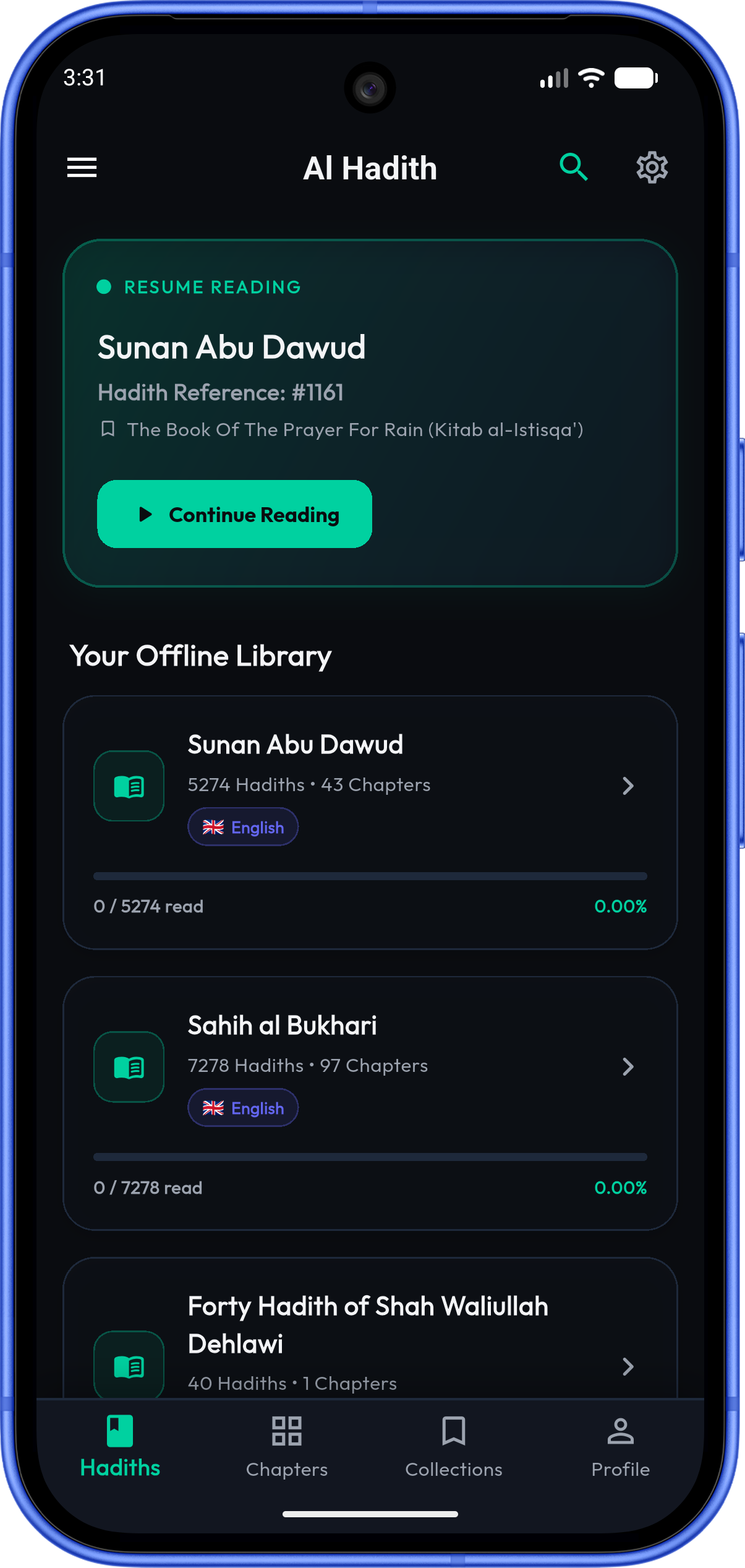
Al Hadith Companion Mobile App
The complete offline reader powered directly by this Compressed SQLite Hadith API.
Our companion mobile application provides a premium, user-facing experience for reading and searching Hadith collections. It features zero server dependencies, instant offline databases, and real-time local search capabilities.